


MedicTests 2026 EMS Education
4.7257.00 Reviews
App Specs
- Version
- 11.3.2
- Updated On
- License
- Free
- Downloads
- 50,000+
- Developer
- MedicTests
- Categories
- Education
- Platform
- Android
Screenshots
 Analysis by AppCompare
When an EMS study session stalls, it is tempting to blame the app, the material, or your own focus. I find it more useful to pause and check what kind of problem I am actually having: trouble getting started, uncertainty about an answer, or a study plan that is too ambitious for the time available. MedicTests 2026 EMS Education is aimed at EMS learning and test preparation, so it makes most sense when I use it as a structured study aid rather than expecting a short session to replace a full course.
That distinction matters because practice questions can show what I remember, but they cannot automatically tell me whether I understand a topic well enough to apply it in a real situation. I would use the app to identify questions that need another look, then return to the relevant lesson or trusted course material when I need fuller context. That keeps test practice useful without treating a quiz result as a complete measure of readiness.
Where study sessions can get stuck
The first hurdle is often deciding what to study. If I open a test-prep app without a clear goal, it is easy to answer questions quickly and leave without knowing what to do next. I get more value by choosing one topic or a short review target before I begin. Afterward, I note the concepts that felt uncertain, rather than focusing only on the score.
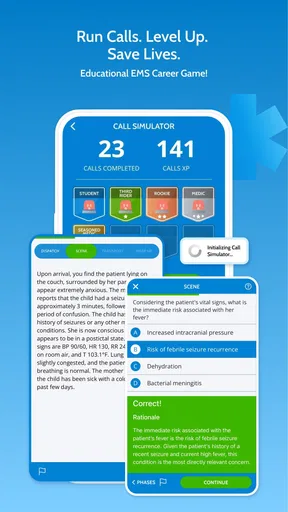
Another common snag is recognizing an answer without being able to explain it. A correct choice can come from a guess, a familiar phrase, or a process of elimination. When an explanation is available, I would read it even after getting the question right and ask myself why the other choices do not fit. That extra step is slower, but it helps separate genuine understanding from lucky recall.
It can also be frustrating to study in fragments. A few spare minutes are useful for revisiting a concept, but they are not always enough for a deep review of difficult material. I treat short sessions as maintenance: revisit a weak point, then plan a longer block for anything that still feels unclear. That is more realistic than expecting every quick check to produce major progress.
Setup checks before you blame the app
The app is free to download, and its content rating is Everyone. It is an education app from MedicTests, with a 4.8 average from more than 900 ratings and over 50,000 installs. Those figures suggest that many learners have tried it, but they do not tell me whether its approach will suit my study habits or match the exact course expectations I have.
Before starting, I would check that the device meets the stated minimum operating-system requirement of version 7.0 or later, and that the installed app is current. The current version is 10.1.8. If something behaves unexpectedly, I would first close and reopen the app, check the connection if the task depends on one, and confirm that the device has enough free space for ordinary app use. These are basic checks, not guarantees that every issue will be solved.
Worth Reading Before You Choose

Flipboard Shows What News Apps Must Do Beyond the Feed

Switching to Android Auto Means Rethinking Your Driving Routine

Google Calendar Makes a Crowded Week Easier to Manage

Ludo King Makes the Most of the Minutes Between Plans

Baby Panda World Brings Quick Play to Modern Phones, but Its Game Library Feels Busy

ESPN’s Live Game View Makes Following Close Games Easier
The app’s store release date is January 7, 2021, but that alone does not tell me how often individual study material changes. I would avoid assuming that a question set is a substitute for current course guidance simply because an app has a recent version number. For exam preparation, I would compare key topics with the current resources used by my program and instructor.
There is also a cost decision to make before investing heavily. The app is free, while in-app purchases are listed from $34.99 to $199.99 per item. I would first explore what is available without paying, then decide whether a purchase addresses a specific study need. A large package is not automatically a good value if I only need help with one subject, and I would read the purchase details carefully before confirming anything.
A steadier workflow when progress feels messy
My most practical approach is to use a repeatable loop: choose a narrow topic, answer a manageable set of questions, review explanations, and record one or two areas to revisit. I would not try to memorize every explanation word for word. Instead, I would write a brief note in my own language about the reasoning behind a missed answer, then test myself on that idea later.
For example, after a class or shift, I might have a short break before heading home. I could use that time to review a few questions on a topic I have already studied, flag anything that still confuses me, and save the harder reading for a quiet evening. If I repeatedly miss questions for the same reason, that pattern gives me a more useful next step than simply doing more questions at random.
For a longer weekend session, I would alternate practice with review instead of completing one long run of questions. Working through a topic, reading explanations, taking a brief pause, and then returning to the material helps me notice whether I can recall the reasoning without immediately seeing the answer. This is a study tactic, not a special app function, but it makes a question bank more useful.
I would also be cautious about judging progress from one session. Results can shift depending on topic difficulty, tiredness, or how familiar the wording feels. Looking for recurring weak areas is more informative than treating a single score as a verdict. If the app’s performance analysis points me toward a topic, I would use that as a prompt to investigate, not as proof that I have mastered everything else.
When the app may not be the cause
If a page or study session does not work as expected, I would separate general device or connection trouble from a problem with the learning material. Restarting the app and checking the network are sensible first steps when appropriate. If the issue continues, I would make a note of what I was doing and contact the app’s support through the available channel rather than repeatedly changing settings at random.
When an answer seems inconsistent with a lesson, I would not assume that either the app or my instructor is automatically wrong. I would compare the wording, check the course reference, and ask an instructor to clarify the underlying principle. Test questions sometimes depend on details in how a scenario is framed, so understanding the reasoning matters more than memorizing a particular option.
The app is not the right tool for every learner or every purpose. If I need a complete guided course, direct instruction, hands-on practice, or feedback on practical skills, a question-focused study aid cannot replace those experiences. Likewise, someone who learns best through textbooks, classroom discussion, or one-to-one teaching may prefer those as the primary method and use an app only for occasional review.
Getting Started with MedicTests 2026
First things first, let’s talk about setting up. Downloading the MedicTests 2026 EMS Education app is a breeze. Available on both Android and iOS, the app is lightweight, which means it won’t hog all your precious storage space. Once installed, you’re greeted with a clean, intuitive interface that even a newbie like me could navigate without a hitch.
Features That Stand Out
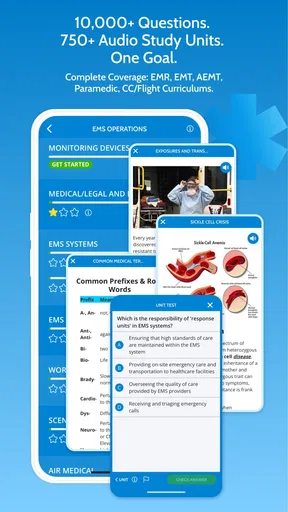
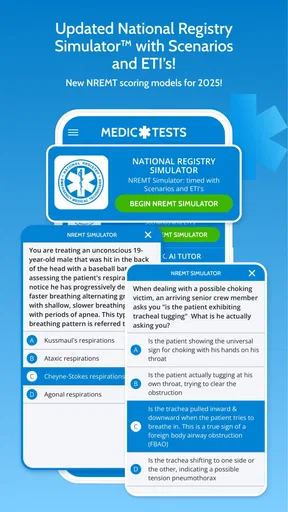
Diving into the app, the first feature that caught my eye was the vast array of practice tests. Whether you’re prepping for the NREMT exams or just want to sharpen your skills, this app has you covered. The questions are updated regularly, ensuring you’re getting the most current information.
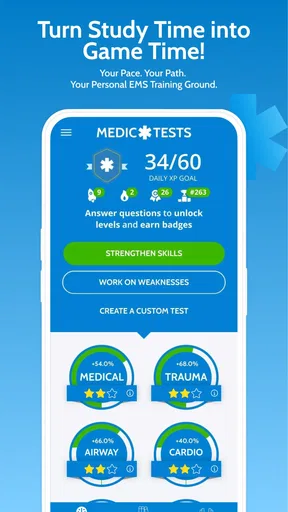
Another highlight is the detailed explanations provided for each question. It's not just about knowing the right answer; understanding why it’s correct is crucial, and MedicTests nails it here. Plus, the app offers a performance analysis that helps you identify areas where you need more practice.
Learning on the Go
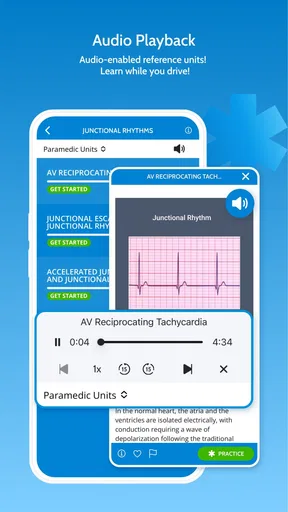
One of the coolest aspects of this app is its flexibility. Life’s busy, right? But with MedicTests, you can study whenever you have a spare moment. Whether you’re commuting, waiting in line, or just lounging at home, the app is designed to fit seamlessly into your lifestyle.
Also, the offline mode is a lifesaver! You can download content and access it without internet, which means you can study pretty much anywhere – no excuses!
Community and Support
Now, let’s talk about the community aspect. The app includes forums where you can connect with other aspiring EMS professionals. Sharing tips, discussing tricky questions, or just venting about study woes – it’s all there. It’s like having a study group in your pocket!
If you ever run into issues or have questions, the customer support team is super responsive. They’re just a message away, which is reassuring when you’re knee-deep in study mode and need some assistance.
Final Thoughts
Overall, MedicTests 2026 EMS Education is a fantastic tool for anyone serious about mastering EMS education. It’s user-friendly, packed with relevant content, and offers great flexibility for studying on the go. The community support is just the cherry on top.
If you’re ready to take your EMS knowledge to the next level, give this app a try. It might just become your new best study buddy. Happy learning!
How it fits beside other study methods
Compared with a textbook, a test-prep app can make it easier to check recall in brief sessions and quickly notice topics that deserve more attention. A textbook or class handout is usually better when I need a longer explanation, a connected overview, or a reliable place to trace a concept from its basics. I would use the two together rather than asking either one to do every job.
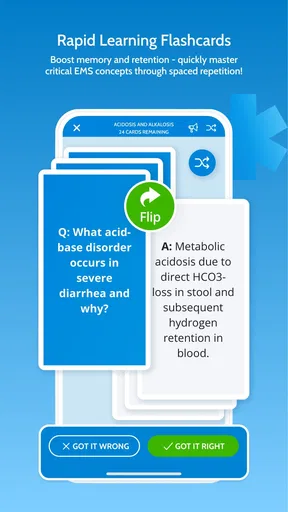
Compared with broad flashcard tools, an EMS-focused question resource is more useful when I want to practise applying knowledge to exam-style prompts. Flashcards can be better for quick recall of terms and concise facts, especially when I have made a carefully organized deck. The trade-off is that rapid card review may not expose gaps in reasoning as clearly as working through a question and considering its explanation.
For learners already attending an EMS course, the app is best treated as a companion, not a replacement for the instructor’s sequence or assigned materials. For independent learners, it may help organize practice, but I would still want a trusted course or reference for context. People deciding between free and paid use should first identify what they need: more practice, deeper explanations, or a different kind of instruction. Paying only makes sense if the available purchase clearly fits that need.
Who is likely to benefit most
I would recommend trying it to students preparing for EMS exams who already have a course plan and want another way to practise between classes. It can also suit a working learner who needs to turn small gaps in the day into focused review, provided those short sessions are not mistaken for complete study. The strongest fit is someone willing to examine why an answer is right, not just collect completed questions.
I would be more hesitant to recommend it as the sole learning resource to a beginner who has not yet encountered the material, or to someone looking for hands-on instruction. A question bank can reveal confusion, but it cannot observe practical technique or coach a learner through a real scenario. If I were struggling to understand the foundations, I would start with teaching and course resources, then use app-based practice to reinforce them.
Making a useful decision about continued use
After a few sessions, I would ask myself whether the app is changing what I do next. If explanations help me correct a misunderstanding, or analysis keeps directing me toward a genuine weak area, it is earning a place in my routine. If I am tapping through questions without retaining the reasoning, I would shorten the session, slow down, and return to a stronger source for that topic before continuing.
My practical verdict is that this is most valuable as a focused EMS test-prep companion: convenient for practice, strongest when paired with careful review, and less suited to learners who expect an app to provide all instruction or practical training. I would begin with a modest routine, confirm that the material supports my course goals, and consider an optional purchase only after I know what I would use it for. That approach keeps the app helpful without asking it to be more than a study tool.
Pros
- Comprehensive EMS study materials.
- User-friendly interface for easy navigation.
- Offline access to study content.
- Regular updates with latest EMS guidelines.
- Interactive quizzes enhance learning.
Cons
- Requires subscription for full access.
- Limited free content available.
- No option for live instructor support.
- Interface can be slow on older devices.
- High storage space requirement.
FAQs for MedicTests 2026 EMS Education
What features does MedicTests 2026 EMS Education offer?
MedicTests 2026 EMS Education provides a comprehensive suite of study tools designed for EMS professionals. These include practice exams, a detailed question bank, and interactive learning modules. The app also offers real-time progress tracking and personalized study plans to help users effectively prepare for their EMS certification exams.
Is MedicTests 2026 suitable for beginners in EMS?
Yes, MedicTests 2026 is tailored for both beginners and seasoned EMS professionals. It offers foundational materials for new learners and in-depth content for those looking to enhance their knowledge. The app's adaptive learning system helps users at all levels improve their understanding and skills in emergency medical services.
Can I access MedicTests 2026 offline?
MedicTests 2026 primarily requires an internet connection for full functionality, such as accessing new content and syncing progress. However, it offers offline capabilities for certain features, allowing users to download study materials and practice questions for use without an active internet connection.
How does the app track my progress?
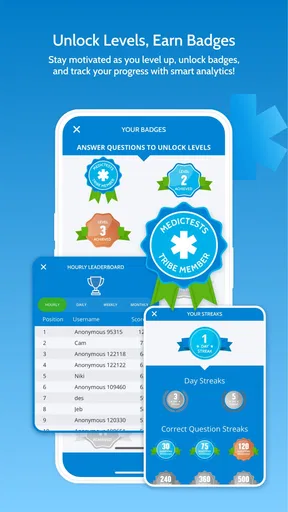
The app features a robust tracking system that monitors your study habits and performance. It provides detailed analytics on areas of strength and weakness, helping you focus your study efforts more effectively. Progress can be viewed via charts and reports, allowing you to gauge your readiness for certification exams.
Are there any additional costs for using MedicTests 2026?
While MedicTests 2026 offers a free version, it also provides premium subscriptions for access to exclusive content and features. Subscriptions may include advanced practice tests, detailed analytics, and personalized coaching. Pricing details are available within the app, and users can choose a plan that best fits their needs.


